servy fulfilment
Your order, wherever the traveler is
smart lockers and autonomous robots close the last 100 meters of airport dining, so travelers spend less time waiting at the counter and more time enjoying the terminal.
Digital ordering fixed the queue. Pickup is the next bottleneck.
Travellers can order from a seat, a kiosk or a phone. Then they still hover by the counter, waiting for their name. Crowded pickup points slow staff down, mix up orders and put off the next customer.

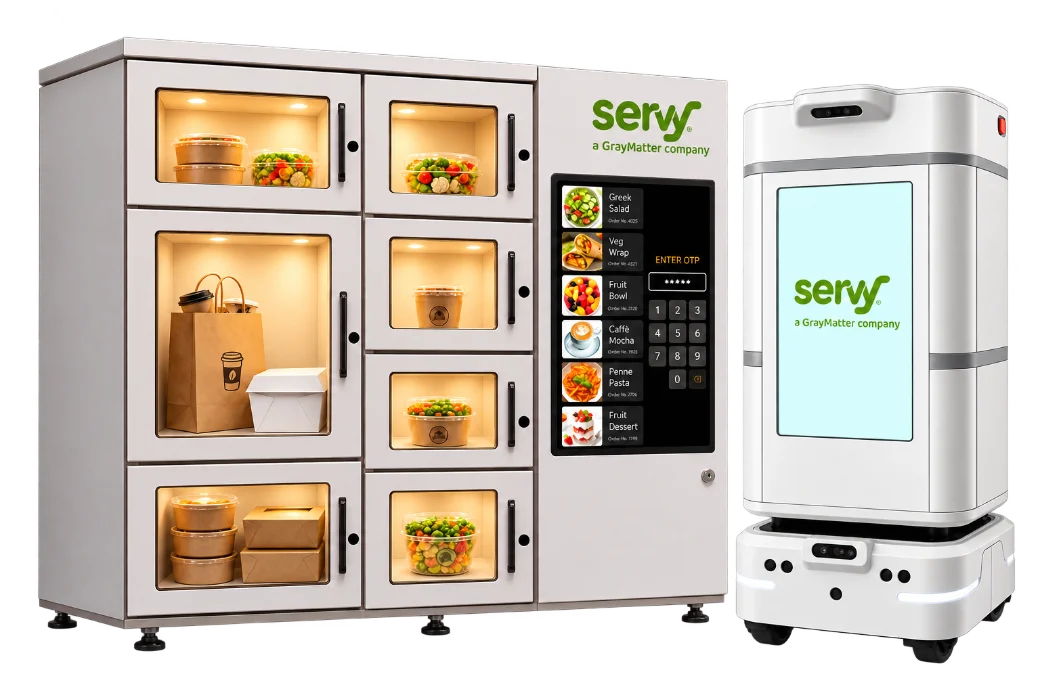
smart lockers
Travellers opt in for locker delivery at checkout. When the order is ready, they get a notification with collection details. They open the locker and go: no name called, no crowd at the counter.
From kitchen to your locker in six steps
-
Order & Secure
The guest orders through the web, app, a kiosk, or a QR code, selects their preferred terminal locker, and is instantly free to explore.
-
Restaurant prepares
The order lands on the Servy app and preparation starts.
-
Runner dispatched
A runner picks up the order and is notified of the assigned locker and compartment.
-
Secure drop-off
The runner places the order in the designated compartment.
-
Customer notified
The guest receives an order-ready alert with the locker, compartment number and pickup code.
-
Order collected
The guest enters the code, their compartment opens and they’re on their way, order in hand.
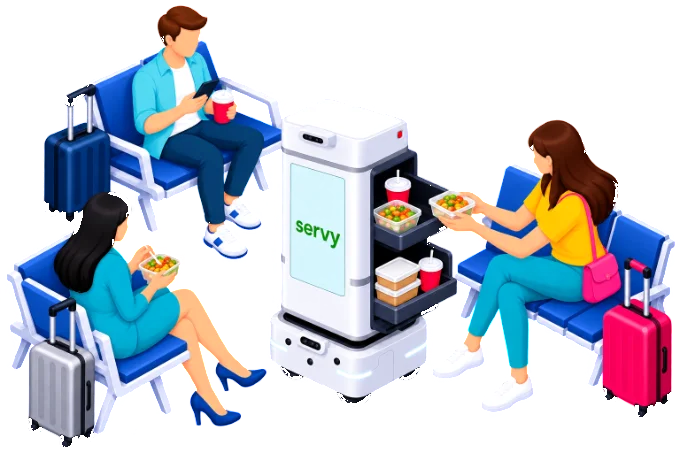
robotic gate delivery
Travellers choose delivery to their boarding gate. An autonomous robot collects the order from the restaurant and brings it to them, secured by one-time passcodes at both ends.
From kitchen to gate in seven steps
-
Order placed
The guest orders on the app or kiosk and selects gate delivery.
-
Restaurant prepares
The order lands on the Servy app and preparation starts.
-
Robot dispatched
Once accepted, a robot arrives at the restaurant pickup point.
-
Secure handoff
Staff enter a code and load the order into the robot’s compartment.
-
Autonomous delivery
The robot navigates to the guest’s chosen location.
-
Customer notified
The guest receives an arrival alert and a pickup code.
-
Order retrieved
The guest enters the code and collects a fresh order, without leaving their seat.
Better for everyone in the terminal
For airports
A visible upgrade to the passenger experience, and less congestion around F&B units.

For concessionaires
More orders served with the same staff, and fewer mix-ups at pickup.
For travelers
The meal arrives where they are, with more time to shop, work or relax.
Part of the Servy omnichannel engine
Lockers and robots run alongside Order@Table, self-ordering kiosks and mobile ordering. Every channel shares the same menu logic, real-time order visibility and centralised reporting.
- Order@Table
- Self-ordering kiosks
- Mobile ordering
- Smart lockers
- Robotic delivery
Frequently asked questions
Do travellers have to use lockers or robots?
No. Locker delivery is an opt-in at checkout, and store pickup stays available.
How is the food kept secure?
Robotic delivery uses one-time passcodes. Restaurant staff enter one to load the robot, and the guest enters another to collect, so only they can open the compartment.
How does the traveller know the order is ready?
They receive a notification with collection details when the order reaches the locker, or an arrival alert when the robot reaches them.
Does this need a separate system?
No. Lockers and robotic delivery are fulfilment options inside the Servy Platform, so menus, orders and reporting stay in one place.
Bring the last 100 metres into your digital strategy
See how Servy lockers and robotic delivery would work in your terminal.